Uploading a log
This page is for whoever is sending a log, for example a TMS user asked to attach a diagnostic report to a bug. No account is needed.
Upload form
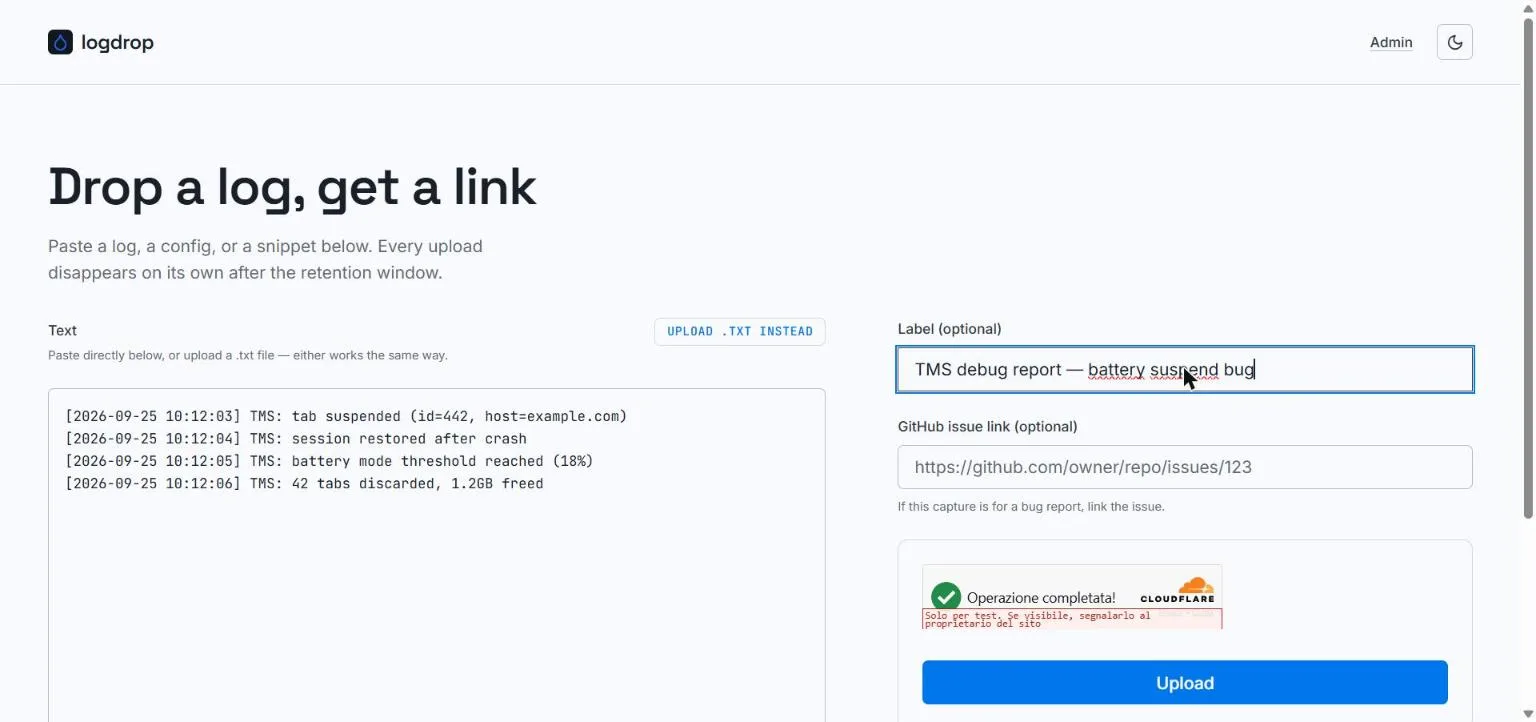
Open the logdrop instance you were pointed to (for TMS, logdrop.marvellouscode.works) and fill in:
Text
Paste your log directly into the text area, or click Upload .txt instead to pick a file (.txt / text/plain). Either way works the same.
Only plain text is accepted: binary files, or text containing control characters other than tab and newlines, are rejected with "Only plain text is accepted". The maximum size is 4 MB on the default configuration.
Label (optional)
A short description of what this is, e.g. "TMS debug report, battery suspend bug". It helps the maintainer recognize your upload. Labels longer than 200 characters are truncated.
GitHub issue link (optional)
If the upload belongs to a bug report, paste the issue URL, e.g. https://github.com/owner/repo/issues/123. The maintainer sees it as a clickable #123 chip. Only links in that exact GitHub issue format are kept; anything else is silently dropped.
Verification
Complete the Cloudflare Turnstile check (usually automatic), then click Upload.
Your link is ready
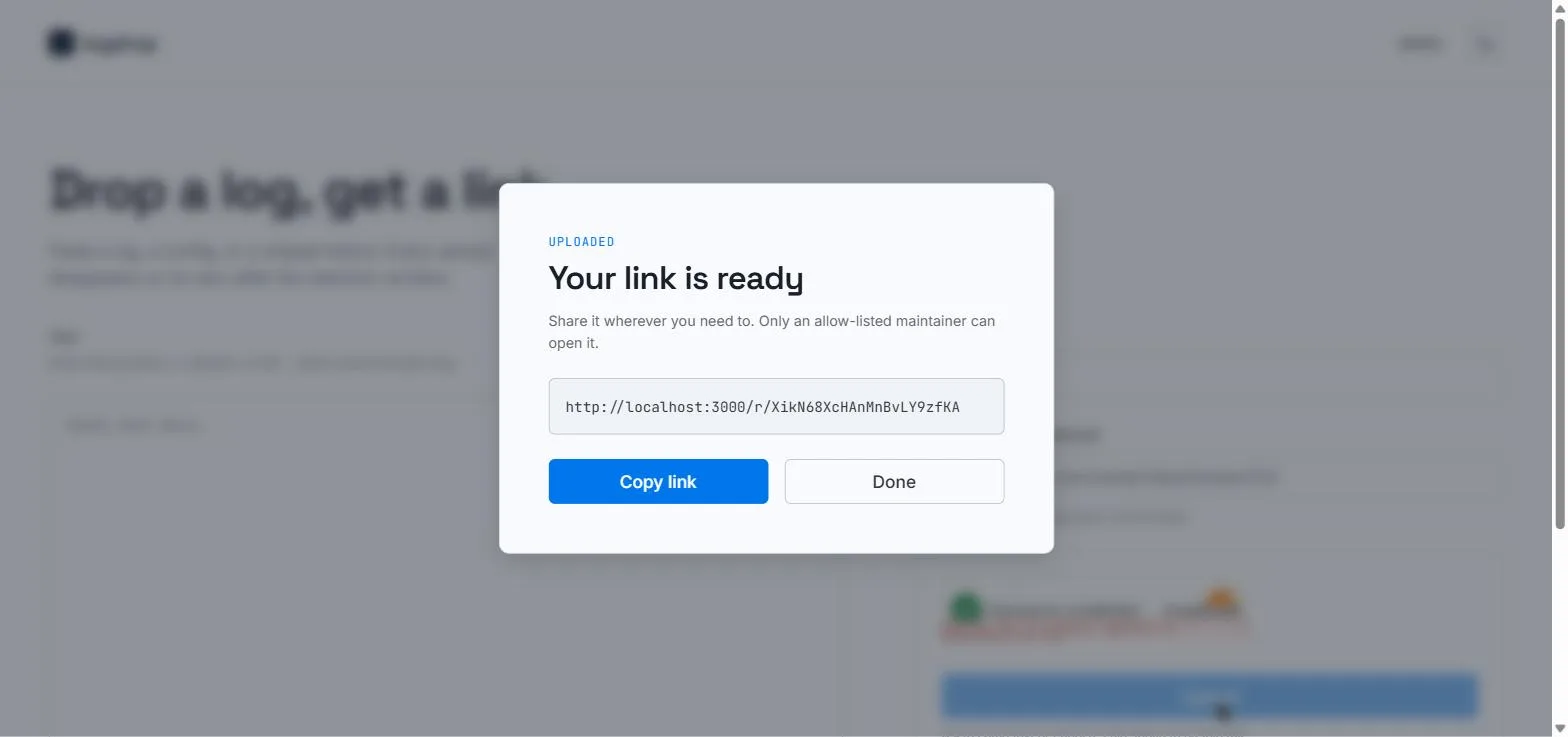
After a successful upload, a dialog shows your private link (https://<instance>/r/<slug>). Click Copy link and share it where you were asked to, typically in the GitHub issue.
The link only works for the instance's maintainers: anyone else who opens it is sent to a sign-in page they can't get past. You can paste it into a public issue thread without exposing the log's content.
After uploading
- You can't read or delete it yourself. Once uploaded, only the maintainers can open it. If you uploaded something by mistake, ask them in the issue to delete it.
- It expires on its own. The upload is deleted automatically after the retention window (7 days by default), whether or not anyone read it.
- Upload again for a new capture. Each upload gets its own link; there's no editing.
Troubleshooting
| Message | What it means |
|---|---|
| Please complete the verification widget. | The Turnstile check hasn't finished. Wait for it (or reload the page) and try again. |
| Verification failed | Turnstile rejected the token, often because it expired. Reload the page and retry. |
| Invalid upload size | The text is empty or larger than the instance's limit (4 MB by default). Trim the log or split it into several uploads. |
| Only plain text is accepted | The content isn't valid UTF-8 text, or contains control characters. Upload the raw text log, not a zip, PDF or screenshot. |
| Uploads are temporarily disabled | The operator switched uploads off (see kill-switch). Try again later. |
| Upload failed | Anything else, usually a server-side problem. Try again later, and if it persists, report it on GitHub. |